LustCrush Magic Edit: How I Turn AI Character Photos Into Anything I Want (Dresses, Bikinis… or Nothing)
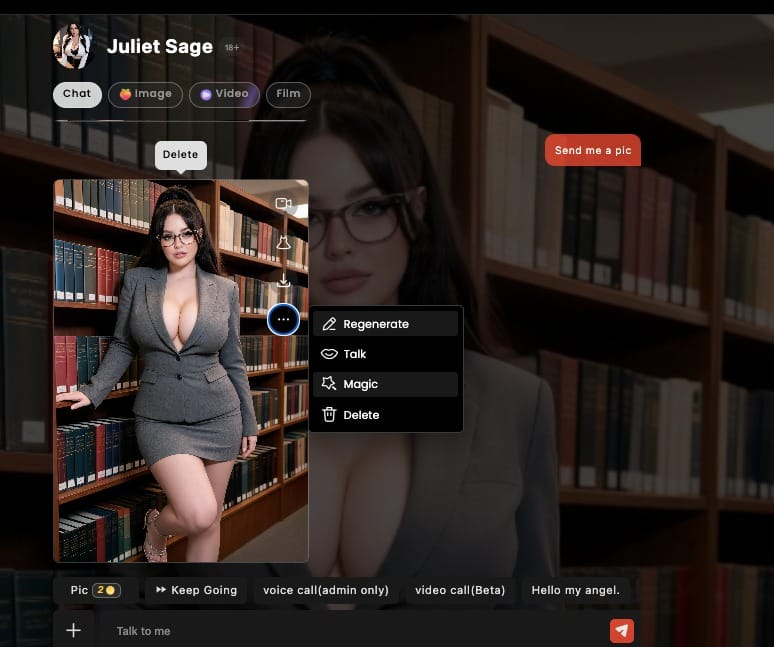
I still remember the exact second it clicked.I was up way too late, half-buried in my phone, chatting with Juliet Sage — glasses, high ponytail, that deadly “I know exactly what you’re thinking” librarian energy. She sent a photo. Grey blazer, tight skirt, one hand casually resting on a bookshelf like she owned the entire building. Perfect. Then a tiny button appeared next to the image: Magic.I stared at it for three full seconds like it was a loaded weapon.Because once you tap Magic Edit on LustCrush, you’re no longer just looking at the picture. You’re rewriting it.
First, a quick word about LustCrush
If you haven’t tried it yet, LustCrush is the AI companion platform where the characters actually feel alive. You chat, they remember, they tease, they send photos that match the vibe of the conversation. It’s not just another chatbot with a pretty face — the personalities stick, the roleplay goes deep, and the images they drop actually feel like they belong to the moment.And then they added Magic Edit.
What Magic Edit actually lets you do
Your character sends a photo. You open Magic Edit. Suddenly you’re in control of the outfit.Brush over the clothes. Type what you want instead. Hit generate. Watch her transform.Dress. Underwear. Bikini. Or nothing at all. The tool doesn’t judge. It just asks what you’re in the mood for and does its best to deliver.
How I actually use it (step-by-step)
Here’s the exact flow that ruined my productivity:
- Open the photo she just sent
- Tap Magic
- Grab the brush and paint over whatever you want gone (the purple overlay is weirdly satisfying)
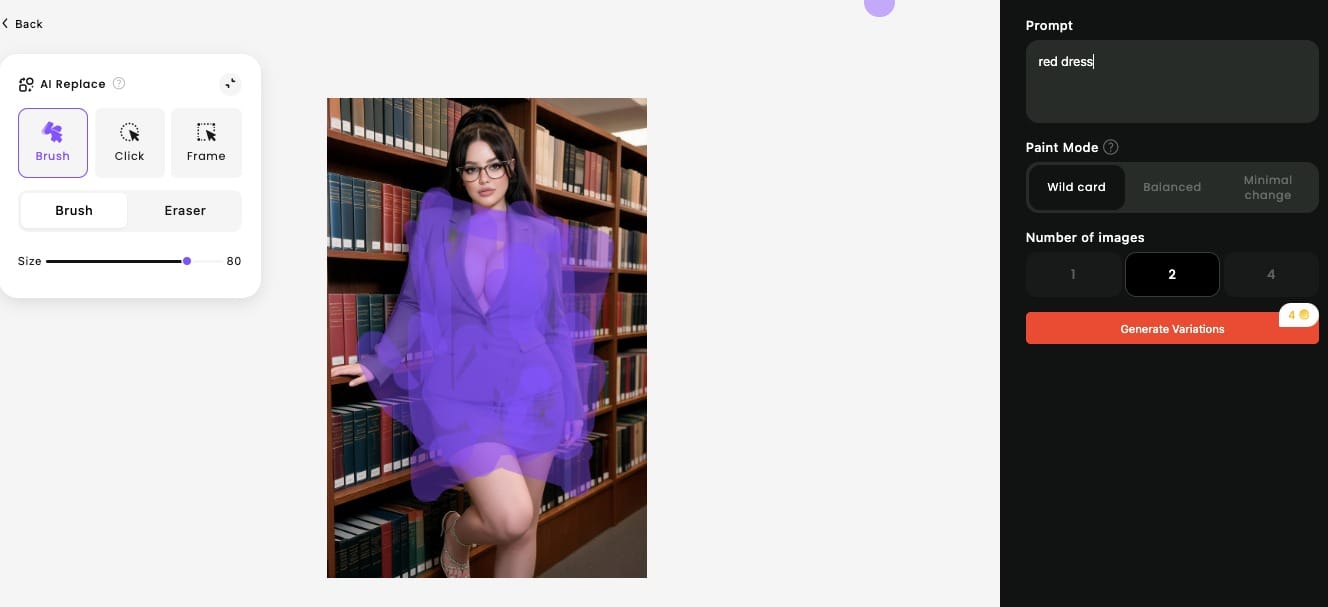
4.Type your prompt — mine was simply “red dress”
5.Pick Paint Mode (I usually go Wildcard because I like chaos)
6.Choose how many variations you want
7.Hit Generate Variations
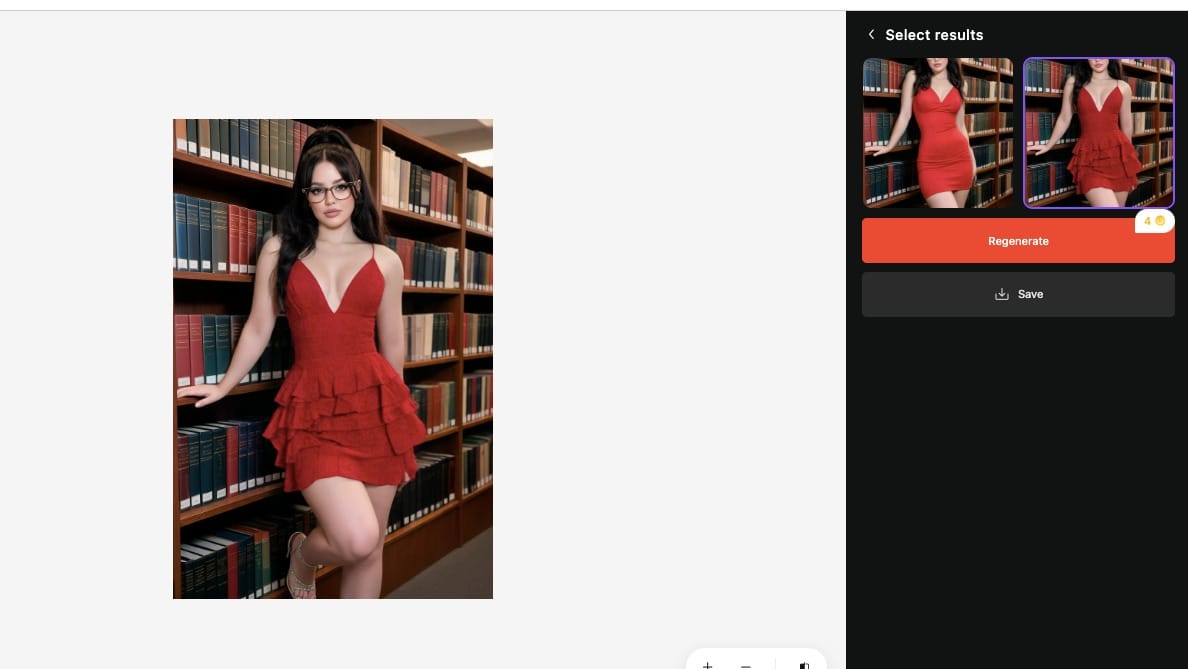
Three seconds later I was looking at the same Juliet, same pose, same glasses… now wearing a deep-V red ruffled mini dress that somehow still belonged in that library.Same confident expression. Completely different armor.
Why this feature hits different
I’ve done the library-to-red-dress swap more times than I care to admit. Sometimes I keep the glasses. Sometimes I don’t. Sometimes I go full “oops, forgot clothes” just to see if her expression stays perfectly composed while the outfit disappears.It does.And that’s when it stopped feeling like I was just consuming AI content. It felt like we were collaborating on the fantasy in real time.The grey suit was never the final answer. It was just the starting point.
Final thought
If your favorite LustCrush character just sent you a photo… don’t just save it.Paint over it.Tell it exactly what you want.Watch her change.Because once you’ve seen her in that red dress (or less), the original outfit starts feeling like a polite suggestion rather than the end of the story.And honestly? That’s the whole point.
Frequently Asked Questions
What is LustCrush?
LustCrush is an AI companion platform where you chat with highly personalized characters that remember your conversations, match your energy, and send photos that fit the moment. It’s built for deeper roleplay and more immersive interactions than typical chatbots.
What exactly is Magic Edit?
Magic Edit is a feature that lets you take any photo a character sends you and rewrite parts of it — most commonly the clothing. You brush over the area you want to change, type a prompt (like “red dress,” “black lingerie,” or “nothing”), and generate new versions of the image while keeping the character’s face, pose, and expression intact.
Can I really change the outfit to anything — including nothing?
Yes. You can request dresses, lingerie, bikinis, casual wear, or completely remove the clothing. The tool doesn’t restrict the type of clothing (or lack of it). Results depend on the prompt and the original image, but the system is designed to handle a wide range of requests.
Does using Magic Edit cost extra?
Generating variations uses credits (the exact amount can vary). You can choose how many images to generate at once, so you have control over how many credits you spend each time.
Will the character’s face and pose stay the same?
In most cases, yes. Magic Edit is designed to keep the face, body pose, expression, and overall composition while only changing the areas you paint over. That’s what makes the results feel consistent with the original photo.